Products · Conversion

How many walked past. How many came in. How many bought.

Conversion combines footfall counts with the transactions from your tills and, using a Glimpse Sensor, with the people who walked past. The result is capture rate, conversion rate and sales per visitor for every store, every day: the numbers that explain your sales.

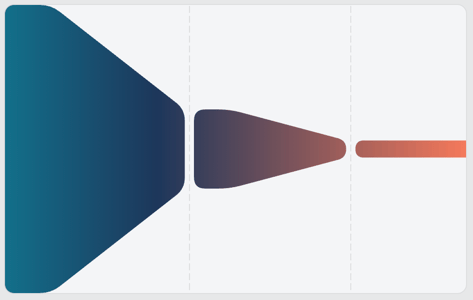
Vertical funnel
TiersCapture · Conversion · Full funnel
Till dataCSV import or POS integration
FootfallGlimpse Footfall, or your counts by CSV
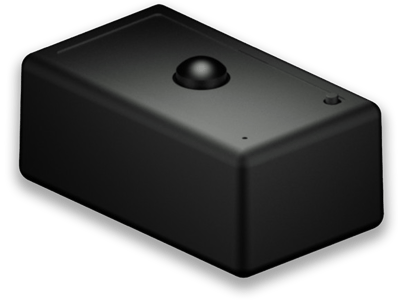
Passers-byOne Glimpse Sensor per entrance
OutputsCapture rate, conversion, sales per visitor
PrivacyNo personal data, no video stored
What you get

The rates that explain your sales

The conversion funnel delivers three metrics; Capture rate, Conversion, Sales per Visitor. Each one of these is defined in terms of footfall, which is why the footfall count has to be accurate first.


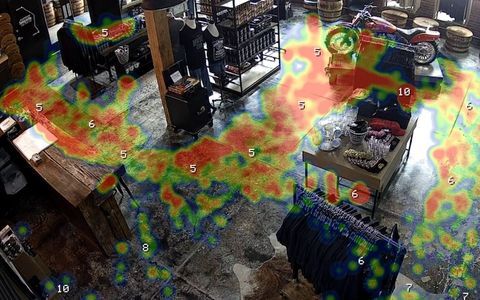
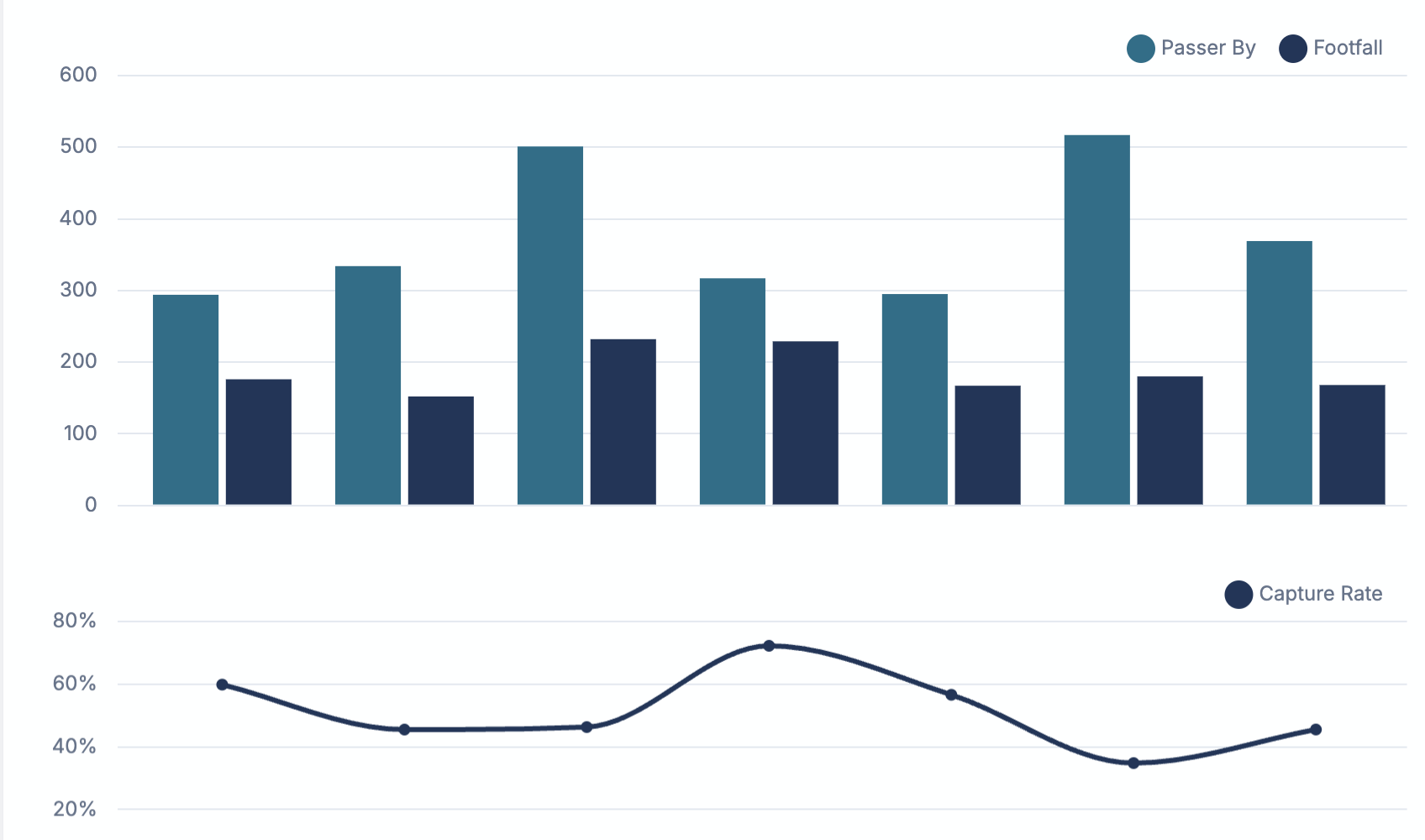
Capture rate chart

Capture rate = footfall ÷ passers-by

The share of people walking past who come in, measured per entrance with a Glimpse Sensor on the frontage. The window's score.

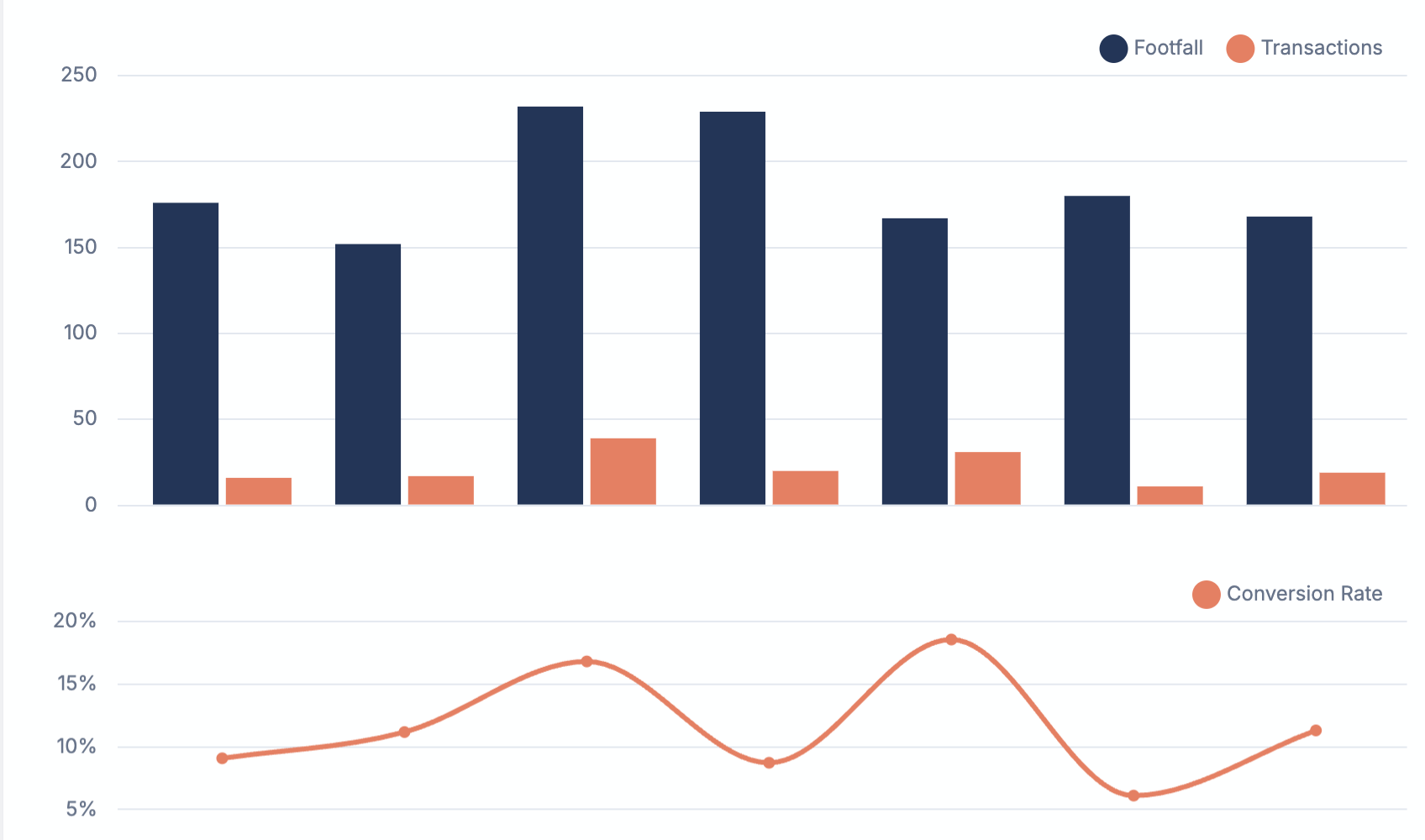
Screenshot 2026-11-05 at 09.05.14

Conversion rate = transactions ÷ footfall

The share of visitors who buy. Drop a transactions export into the Portal and it's calculated for every store and trading period.

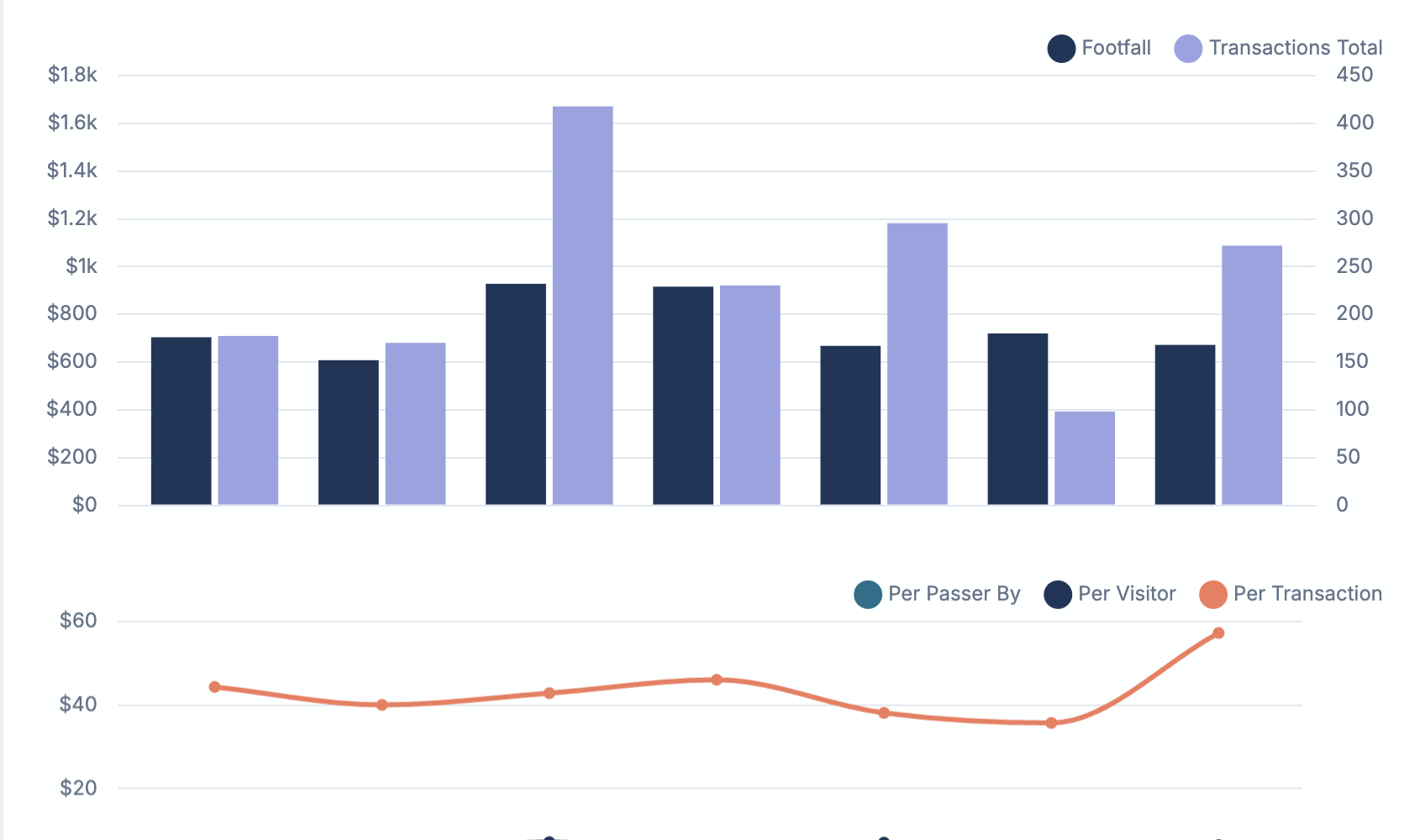
Sales per visitor chart

Sales per visitor and per passer-by

Average transaction value, sales per visitor and sales per passer-by, side by side with footfall and transactions, so you can see which lever moved.

Who uses it

The questions Conversion answers

For the people accountable for turning traffic into sales.


Head of Retail Operations

Which stores have the visitors but not the sales?

Rank stores by conversion rate rather than revenue. Healthy footfall with low conversion is a store problem you can fix: staffing, layout, service.

Merchandising

Is the window doing its job?

Capture rate by entrance, by day. Change the window on Monday and read the result the following week.

Analytics

Was the uplift traffic or selling?

Break every sales movement into passers-by, capture, conversion and transaction value. Understand why sales figures changed and which metric needs to improve.

The business case

A point of conversion is worth more than it looks


Most retailers measure sales. Fewer measure the visitors behind them, and fewer still the people who walked past. That gap is where the money is: a store converting 18% when its peers convert 22% is losing roughly one sale in five, and nothing in the P&L shows it.

Conversion makes the gap visible by store and by day. Real-time reporting shows which changes close it: the staffing change, the layout change, the window. Because every store is measured the same way, the fix that works in one can be rolled out to the rest with confidence.

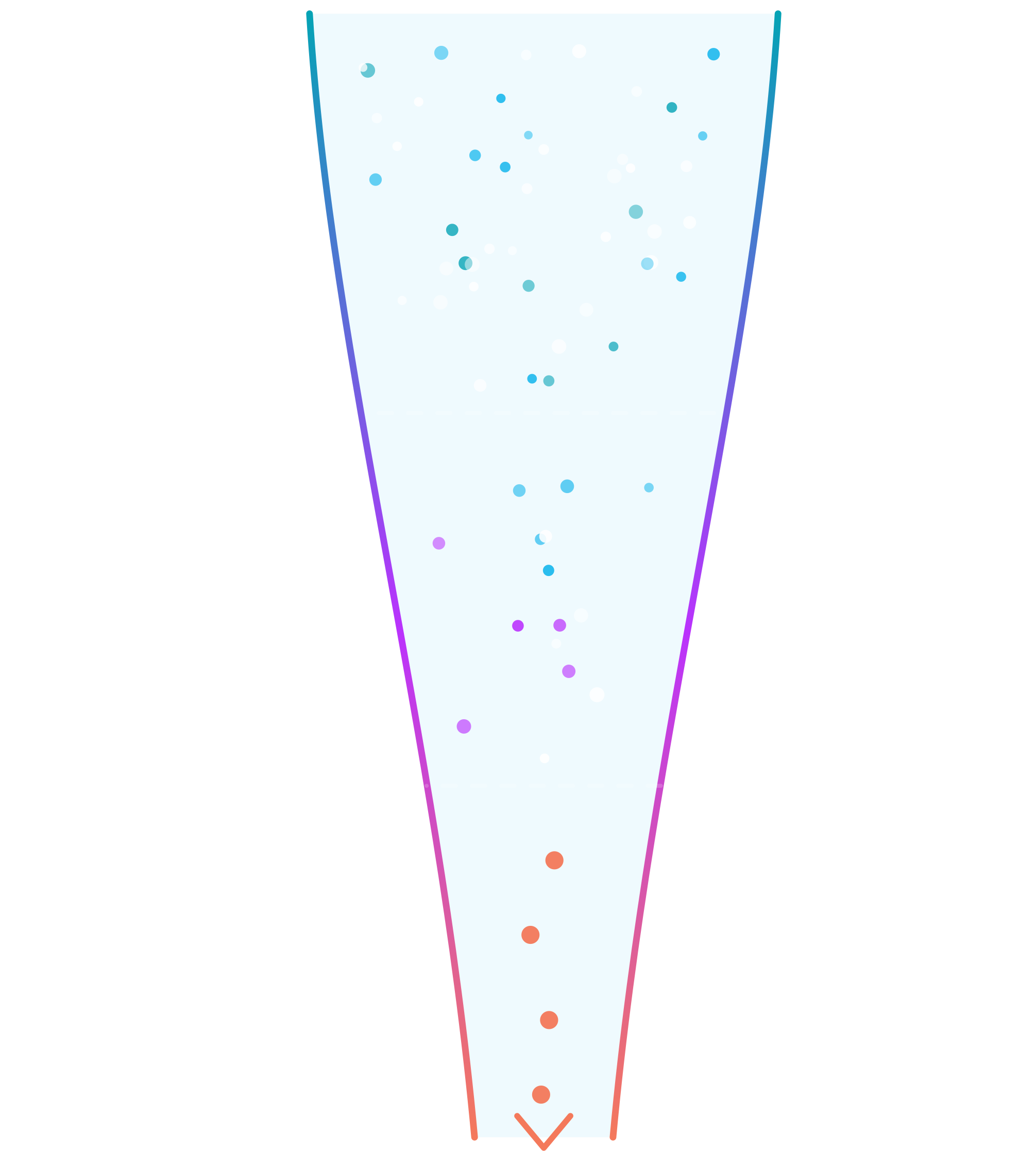
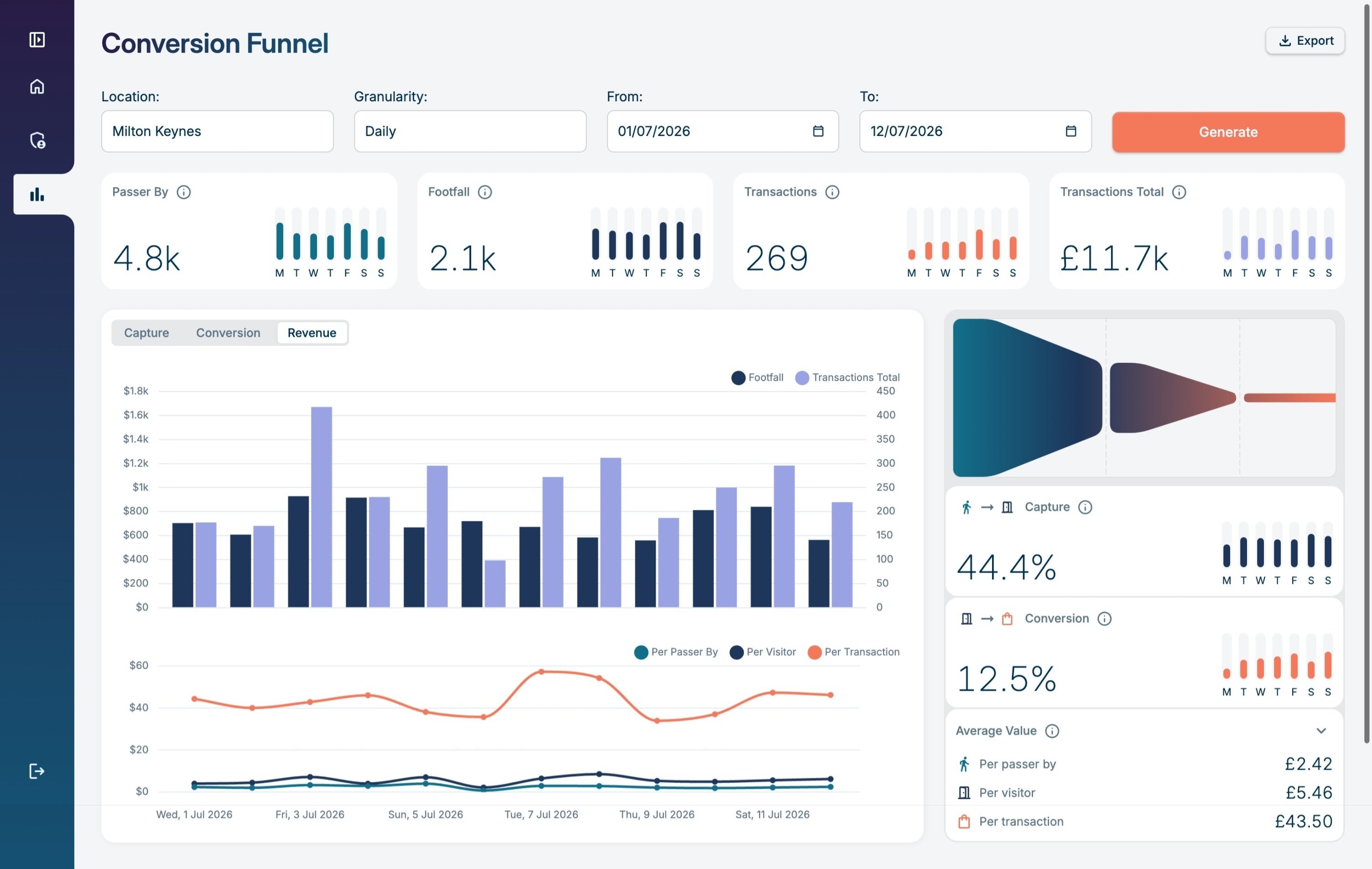
Conversion funnel full with sales per visitor-1

One point of conversion, one store

A store today 1,000 visitors a day · 20% convert · £40 average transaction = £8,000 a day
Conversion rises one point 21% of the same visitors buy: +10 transactions a day
Extra sales +£400 a day · +£12,000 a month · about +£146,000 a year
Across 50 stores Multiply it. Then ask which stores are two or three points behind the best.

Illustrative figures. Use the calculator below with your own.

Try your own numbers

What is a point of conversion worth to you?


Change any figure and the result updates

Start from the example store, then put in your own.

One more point of conversion brings in:

  1. –more transactions a day
  2. –more sales a day
  3. –more sales a month
  4. –more sales a year

Illustrative arithmetic on the figures you enter. It runs in your browser; nothing is sent anywhere.

How it works

No POS integration project

Transactions arrive by file, passers-by by sensor. Neither needs your IT team to build anything.


01 — Footfall

Start from a count you trust

Glimpse Footfall on your door cameras, validated at every entrance. Or import your existing footfall by CSV.

02 — Transactions

Drop in your till data

Export transactions from your POS or data warehouse, one row per timestamped transaction, and drag the file into the Portal. Duplicates are skipped, so re-sending a file or overlapping dates is safe.

03 — Passers-by

One sensor per entrance

For Capture and Full funnel, a small camera-less Glimpse Sensor on each frontage counts the people walking past. Fitted by our engineer or yours.

04 — Live

The funnel in the Portal

Capture rate, conversion rate and value per visitor appear next to footfall for every store and period. Client Success reviews the funnel with you every quarter.

Transaction files are processed into daily and hourly totals; no customer data is needed, only timestamps and values. Video is analysed on a Glimpse processing device deployed in your store and never stored or sent anywhere. No facial recognition, no personal data. UK GDPR compliant, ISO 27001 and Cyber Essentials certified.

What's included

The funnel, and the people who help you move it


Platform

Funnel and Revenue views

Passers-by, footfall, transactions, capture and conversion rates, and value per visitor in the Portal.

  • Every store, every day, 15-minute detail
  • Rank and compare stores on any rate
  • Scheduled CSV reports
Data

Simple imports, open exports

Files in, API out.

  • Drag-and-drop transaction import, de-duplicated
  • CSV import for footfall from another system
  • REST/JSON API for your BI tools
People

Client Success

The team that validates capture rates, sets up the imports and reads the funnel with you.

  • Validation of every sensor and counting line
  • Quarterly funnel reviews
  • Help turning a low rate into a store action
Works with

One platform, four solutions

Footfall measure the input. Conversion measures the outcome. Journey shows what happens in between. All report into the same Portal.


Common questions

Conversion, answered


Do we need Glimpse Footfall first?

Conversion needs a footfall number to divide by. Most customers use Glimpse Footfall, validated on their own door cameras. If you already count with another system, we can import your footfall by CSV in the same way as transactions.

Which POS systems do you integrate with?

Any till or data warehouse can export a file of individually timestamped transactions, and that's all we need. You drag the file into the Portal; duplicates are skipped automatically, so it doesn't matter if files overlap or you send one twice.

Can the camera we already have count the people walking past?

If it can see the street or the mall concourse, then yes. Alternatively we can install one small Glimpse Sensor per entrance, mounted on the frontage. Footfall and everything inside the store still comes from your existing cameras.

How often do we upload transactions?

As often as you like: daily, weekly, or whenever your export runs. Each upload fills in the days it covers; the funnel updates as soon as it's processed.

Is any customer data involved?

No. Transactions only need a timestamp and a value, no customer details. Passer-by sensors are camera-less. Footfall video is analysed on site and never stored.

Find out what a point of conversion is worth in your stores.

Book a demo and we'll show you the funnel on live retail data, then talk through which tier fits your estate.

The form didn't load. Book a discovery session on our contact page.

No obligation. No hard sell. We'll come back to you within one working day.

Prefer email? sales-emea@glimpseanalytics.com