Products · Engagement

Prove which displays stop people.

A small battery-powered sensor on a display, fixture or shelf counts the people who walk past and the people who stop. Compare displays, creatives and locations with numbers, and link dwell time to sales at the till.

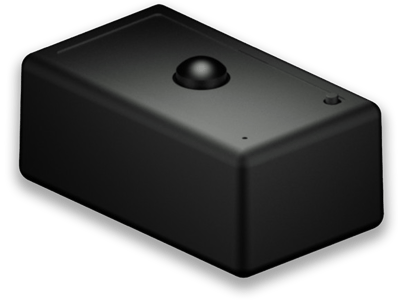
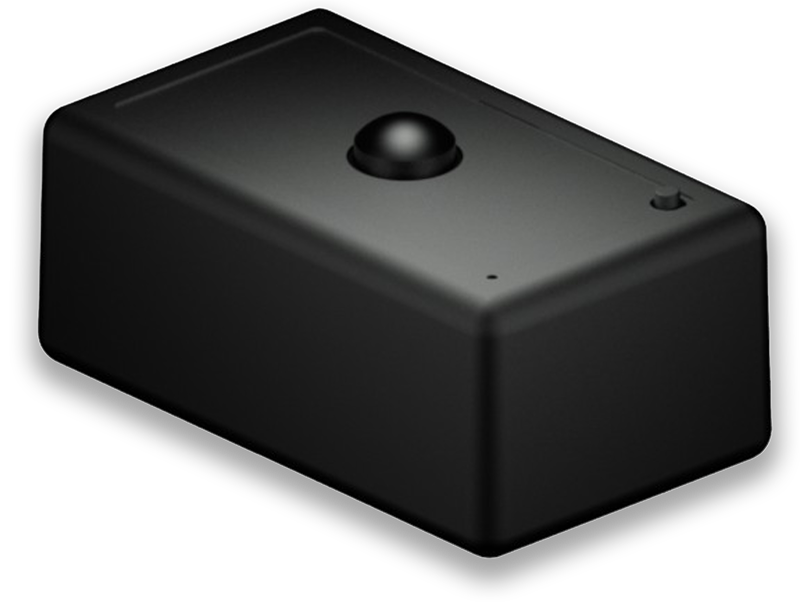
PDA sensor
SensorProprietary motion sensor
PowerBattery powered, install anywhere
InstallSelf-install kit, or our engineer
ConnectivityBase station on Wi-Fi or 4G
BillingPer sensor per month
TermFlexible subscription, or fixed price for a campaign
What you get

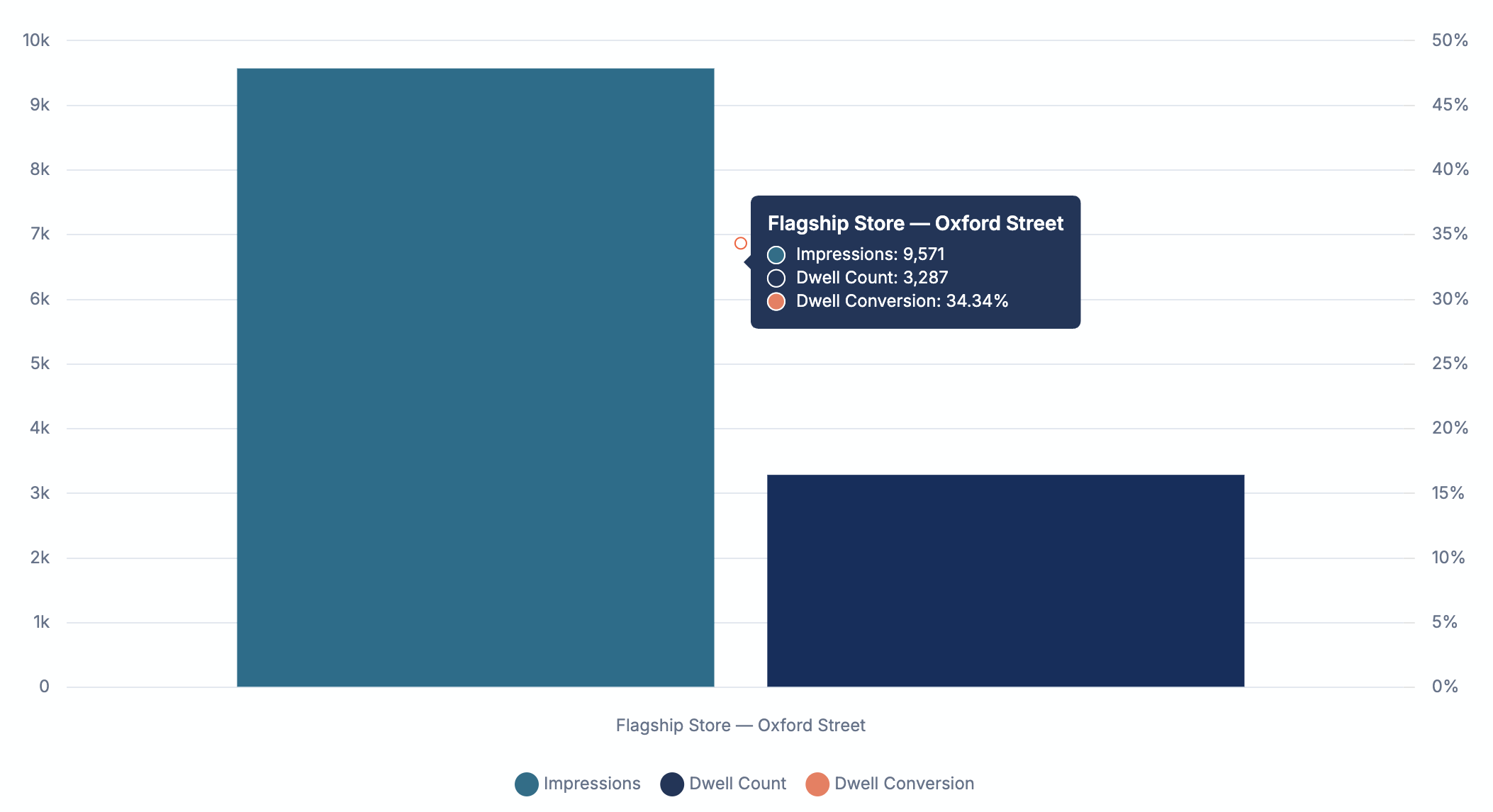
Impressions, stops and conversion

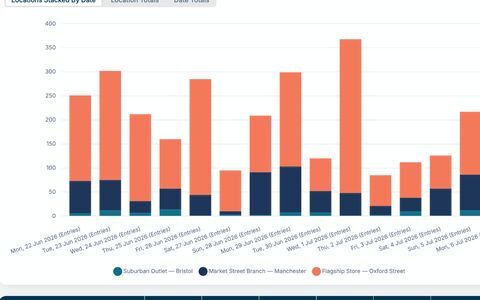
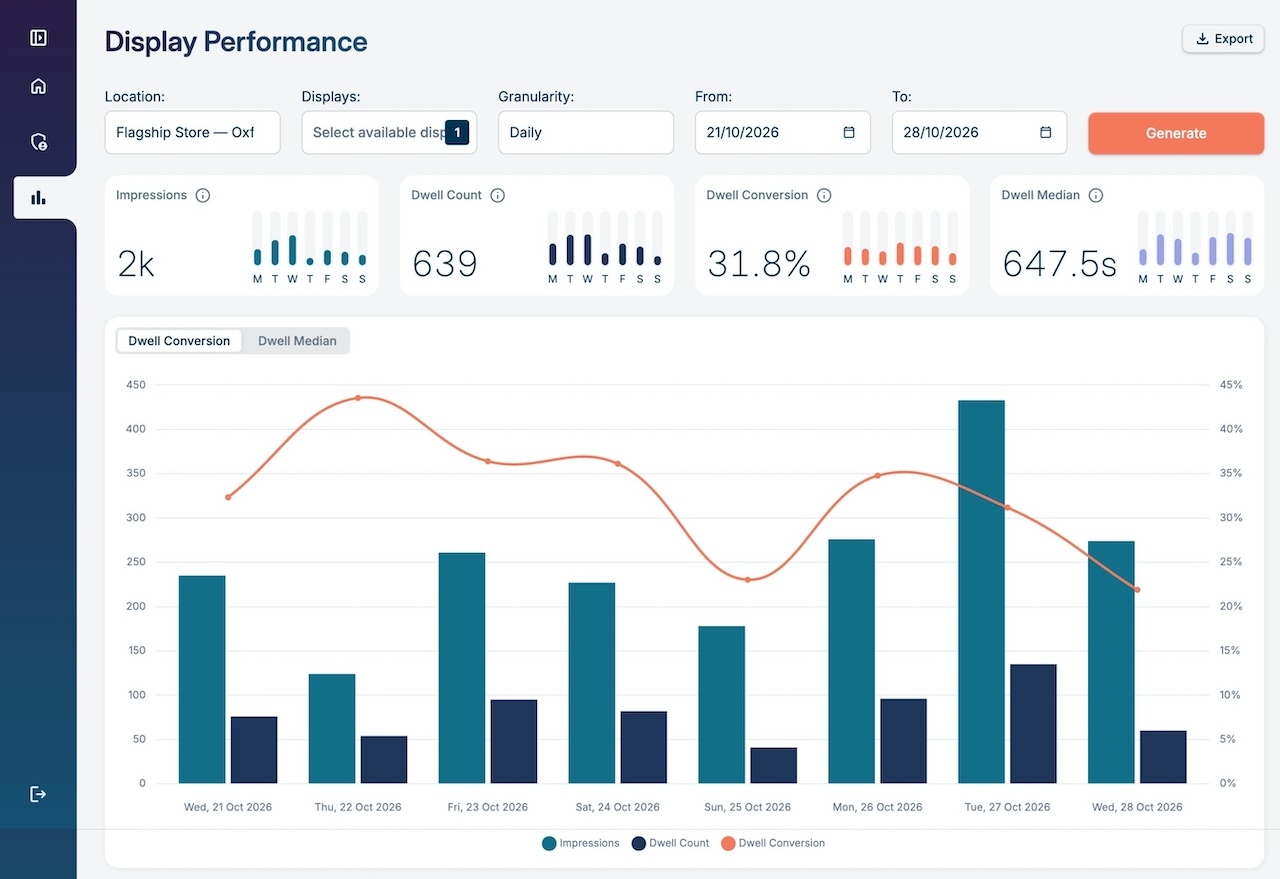
How many people walked past, how many stopped, and how long did they stop for? Real performance data for every display in every store.


Screenshot 2026-11-06 at 14.15.16

Impressions

Counts every person who walks past the display within the sensor's range. Shows the total audience your display actually had.

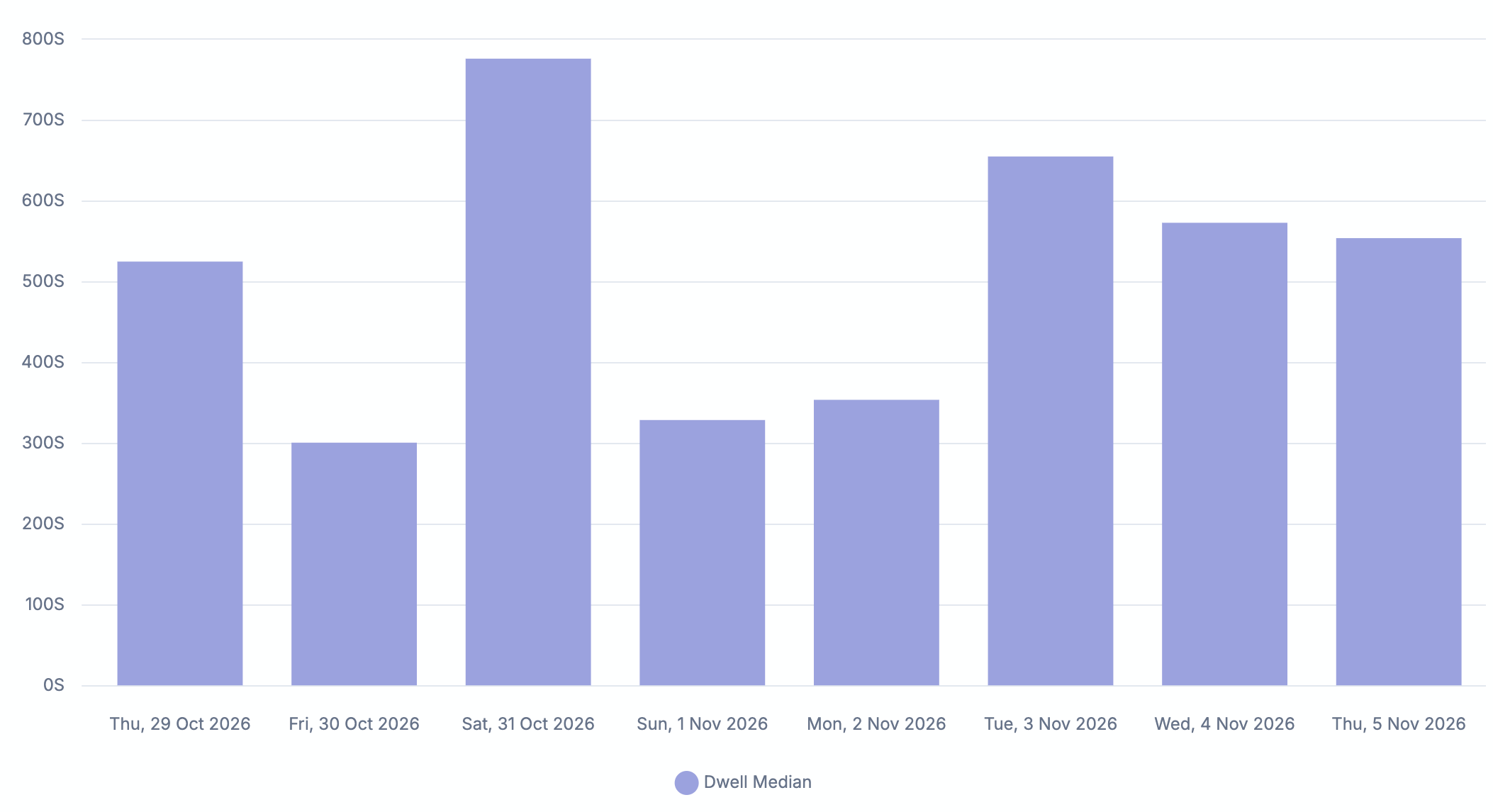
Median dwell time chart

Dwell events

How many people stopped and how long each stop lasted, by hour and day. The number that correlates with sales.

Screenshot 2026-11-06 at 16.06.27

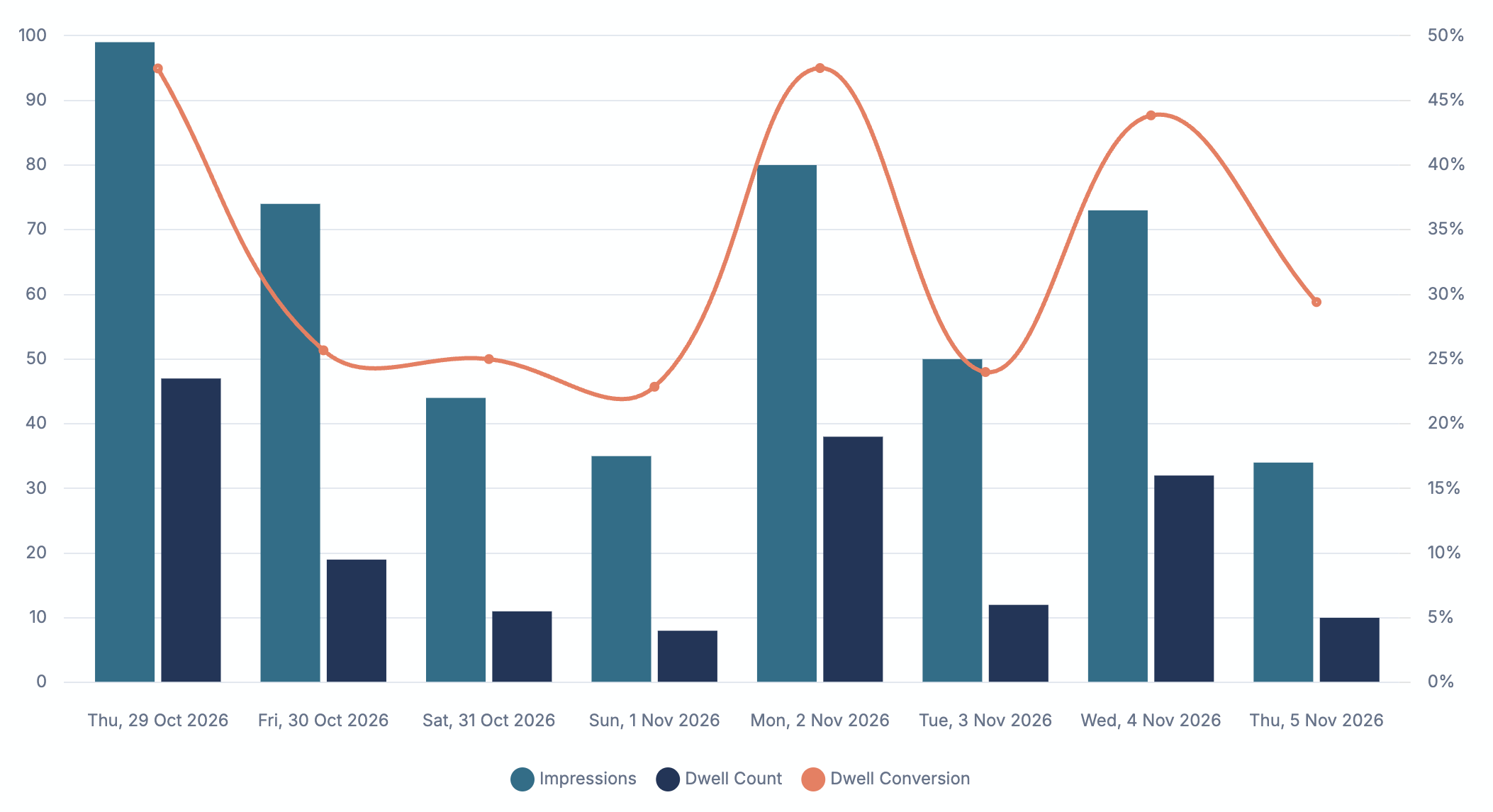
Dwell conversion

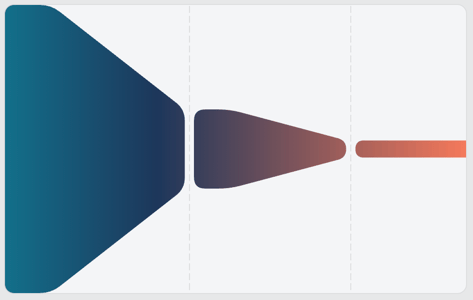
A person detected for three seconds or more counts as a dwell. Stop rate, or conversion, is dwell events divided by impressions: what was the stopping power of each display?

Who uses it

The questions Engagement answers

For the people who buy, build and pay for displays.


Merchandising

Which creative, which spot, which fixture?

Run the same display in two stores or two positions and read impressions, stop rate and dwell time side by side. Keep the winner.

Brands and trade marketing

Did we get what we paid for?

Impressions and dwell for every secondary placement or branded display, in every store it went into. Proof of performance for the budget behind it.

Analytics

Does dwell actually drive sales?

Share your till data and we'll correlate dwell with sales by display. For one retailer, every extra second of dwell at a display was worth 122 extra sales during a campaign.

The business case

A second of attention has a value


Displays are judged on sales, which is the right test but a late one. By the time the numbers are in, the campaign is over and nobody knows whether the display was in the wrong place, the creative didn't stop anyone, or it stopped people who then didn't buy. Engagement separates those three, while the campaign is still running.

We've measured interactive displays for a major electronics brand in Best Buy stores, and over a campaign validated that every extra second of dwell at a display was worth 122 extra sales. With that relationship established, the question for every future display is simply: how many seconds did it earn?

Two creatives, one display position

Creative A 2,000 impressions a day · 8% stop · 160 stops · 6 s average dwell
Creative B 2,000 impressions a day · 11% stop · 220 stops · 9 s average dwell
If one in ten who stop buys a £35 item +60 stops → +£210 a day for one display
Across 40 stores +£8,400 a day from choosing the right creative, known in the first week

Illustrative figures. Share till data and the Portal shows the sales relationship for your displays.


Display performance
How it's installed

Stick it on. Switch it on.

No cameras, no cabling, no comms-room visit. Most customers self-install from the kit we send; an engineer install is available if you'd rather.


01 — Choose

Pick the displays

One sensor per display, fixture or shelf you want to measure, and one base station per store. Tell us the stores and we'll size the kit.

02 — Mount

Install the sensor

Sensors are battery powered and wireless, so they can be fixed to any display in minutes without complex cabling.

03 — Connect

Base station on Wi-Fi or 4G

The base station joins your store Wi-Fi or network. Or choose the 4G version and the whole installation is stand-alone: nothing touches your network at all.

04 — Live

Impressions and dwell in the Portal

Every display by hour and day, compared across stores. Add a transactions export to see dwell against sales.

The sensor is a passive infrared (PIR) sensor: it registers body heat in its detection range, on or off. No camera, no image, no identification, no personal data of any kind.

What's included

Sensors, base station, Portal and the people


Hardware

Sensors and base station

Battery-powered PIR sensors and a Wi-Fi or 4G base station per store, shipped as a self-install kit or fitted by our engineer.

  • One sensor per display
  • VHB tape mounting, no tools
  • 4G option for stand-alone installs
Platform

The Glimpse Portal

Impressions, stop rate and dwell time by display, store, hour and day.

  • Compare displays, creatives and positions
  • Scheduled CSV reports and API
  • Transaction import to link dwell with sales
People

Client Success

Help designing the test, reading the results and reporting them to the people who paid for the display.

  • Test design: which stores, which positions
  • Campaign-end report
  • Quarterly reviews on subscription
Works with

One platform, four solutions

Footfall counts the visitors, Engagement measures the display. Journey measures the floor around it. All report into the same Portal.


Common questions

Engagement, answered


Does the sensor capture any personal data?

No. It's a passive infrared sensor, the same technology as a lighting sensor: it registers body heat within its range as on or off. There's no camera, no image and nothing that could identify a person.

How accurate is it?

It's consistent rather than exact. A PIR sensor can't separate two people walking past side by side, so impressions are a reliable comparative measure across displays, stores and time rather than a precise head count. Dwell events, a person present for three seconds or more, are what most customers act on.

Do we need Wi-Fi in store?

The base station normally joins your store Wi-Fi or network. If you'd rather keep it off your network, or the store has no usable Wi-Fi, the 4G base station makes the installation completely stand-alone.

Can we install it ourselves?

Yes. Most customers do. The kit arrives with the sensors paired to the base station; you stick each sensor to its display with the tape provided and plug the base station in. An engineer install is available if you'd prefer.

Can we rent it for one campaign?

Yes. Engagement is billed per sensor, and a campaign-length rental is a normal way to use it, with a report at the end of the campaign.

Can we link it to sales?

Yes. Share a transactions export for the relevant products or stores and the Portal shows dwell alongside sales by display, so you can see whether the displays that hold people are the ones that sell.

Find out which displays earn their space.

Book a demo and we'll show you impressions and dwell from live displays, then size a kit for your next campaign or rollout.

The form didn't load. Book a discovery session on our contact page.

No obligation. No hard sell. We'll come back to you within one working day.

Prefer email? sales-emea@glimpseanalytics.com