Products · Journey

See where visitors go, and where they don't.

Journey uses your existing in-store cameras to show how people move through the store: which departments and concessions they visit, where they stop and for how long, and where queues build. Test layouts, fixtures and ranges with evidence instead of instinct.

In-store customer journey analysis diagram
InputYour existing in-store CCTV
FootfallWorks with Glimpse Footfall or existing sensors
ZonesDrawn and changed remotely, no visit required
AlertsQueue alerts sent by SMS or webhook
PrivacyVideo analysed on site, never stored
InstallGlimpse engineer, one device per store
What you get

Flow measurement, dwell time, heatmaps and queue alerts

Understand the in-store customer journey - where your visitors went, what displays did they stop at, and what they walked past.


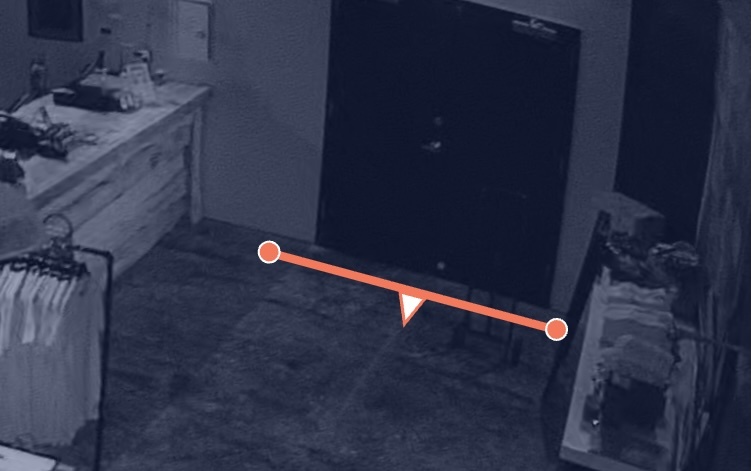
internal flow

Internal flow

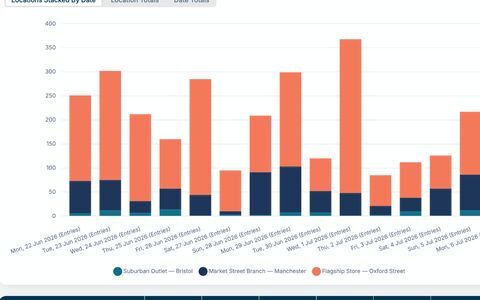
Counting lines inside can measure visits to the fitting rooms, the café, concessions, or departments. Footfall counts for every part of the store, not just the entrance.

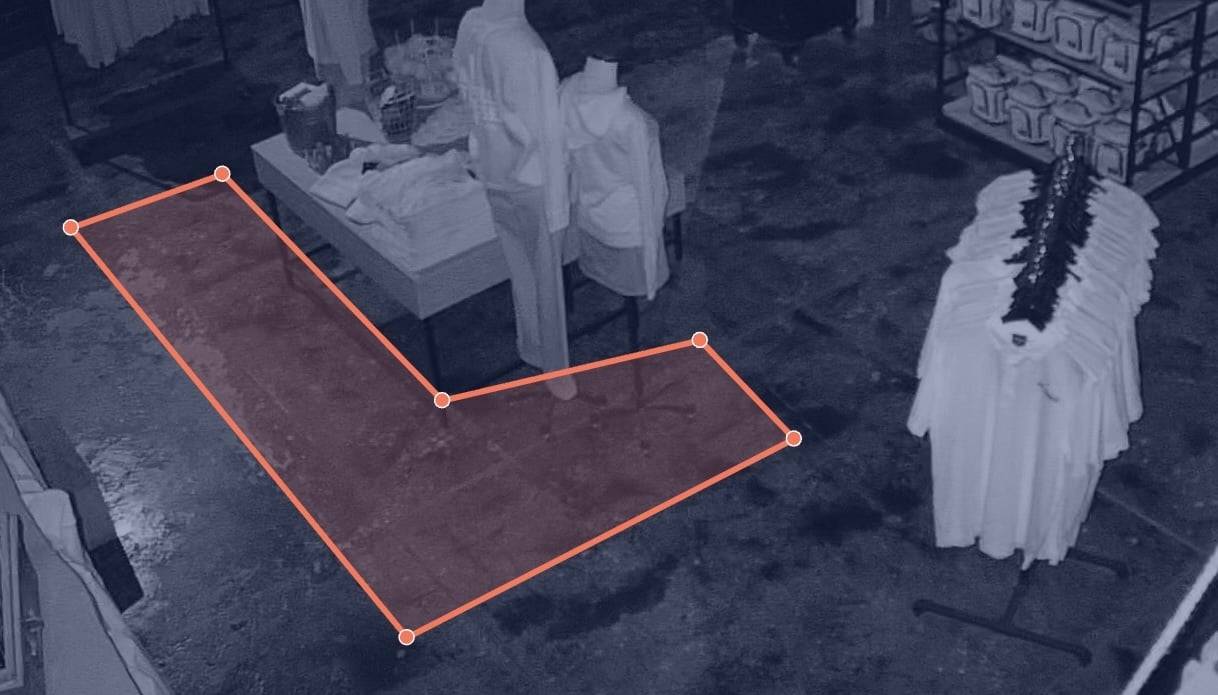
CCTV Dwell Area-1

Dwell

Zones drawn on the camera view count entries per zone and the average time spent there. Pass-throughs are filtered out to focus on the people who actually stopped.

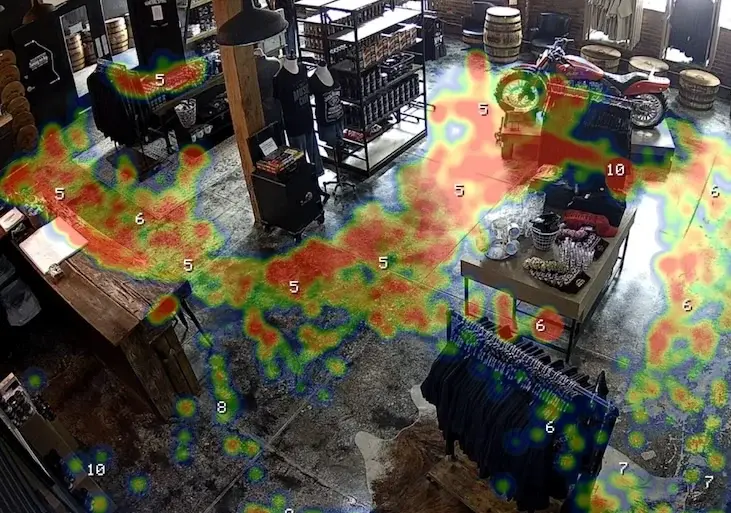
heatmap

Heatmaps and queues

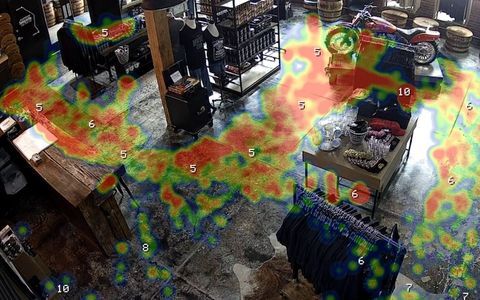
Heatmaps show where the floor is busy and where it's dead. Queue zones watch the tills and alert by SMS or webhook when the wait time crosses your threshold.

Who uses it

The questions Journey answers

For the people who decide what goes where, and the people who run the floor.


Merchandising

Does the new layout work?

Compare dwell time and flow before and after a layout change. Identify the fixtures that gets stopped at, and the ones that gets walked past.

Head of Retail Operations

How much traffic does that concession actually get?

Internal footfall data for every concession and department. Settle the space and the rent conversation with a count instead of an estimate.

Store operations

When do queues form, and are we staffed for them?

Define acceptable wait times and receive real-time alerts if they are exceeded.

The business case

Space is your most expensive asset. Journey tells you what each part of it earns.


Test layouts and fixtures with evidence. Every refit and range move is a bet on where people will go. Journey measures it: dwell entries and time in zone before and after, so the next bet is informed by the last one, and the layouts that work get rolled out.

Know what every concession and department is worth. Internal flow lines count the visits to each area, so space, rent and range decisions are made on traffic rather than floor area. Concession partners get a number they can trust too.

The journey determines the outcome. Understand what actually happens when customers move through your store.
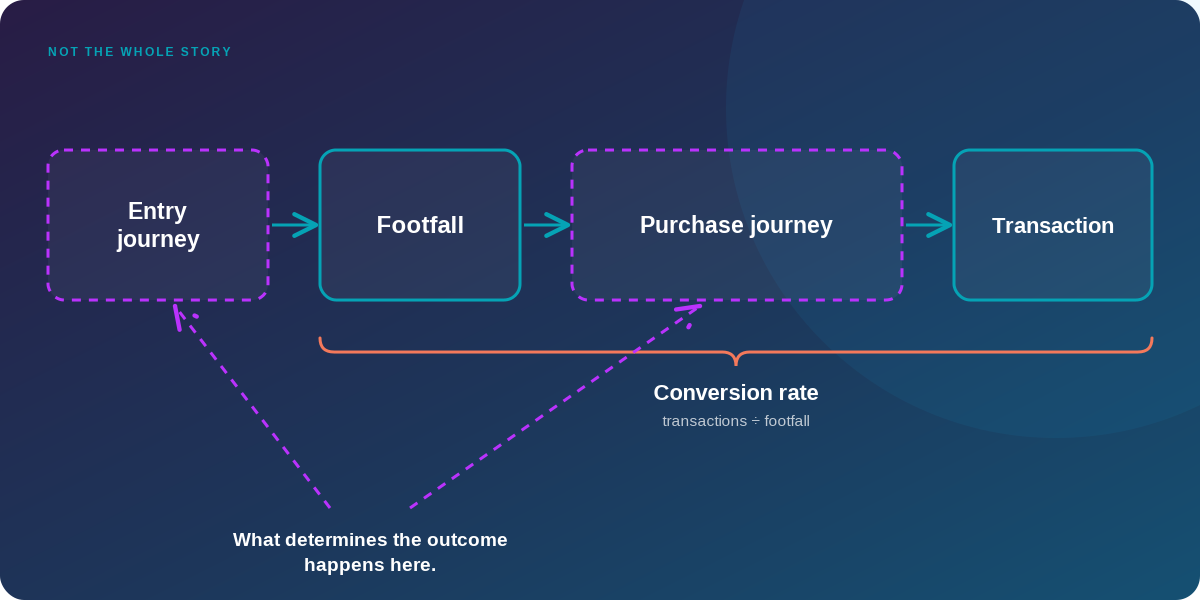
funnel-gap

What moving a fixture is worth

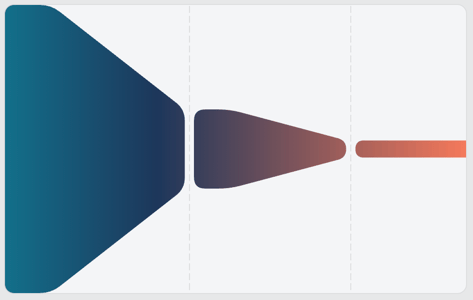
Promotional bay at the back of the store 90 dwell entries a day
Same bay, front-right of the entrance 320 dwell entries a day: +230 people stopping
If one in ten who stop buys a £25 item +£575 a day
Extra sales about +£17,000 a month

Illustrative figures. Journey gives you the dwell entries; your till data gives you the rest.

How it's installed

Your cameras, our zones

Bring us your challenges, success criteria, and what you'd like to measure. We do the rest.


01 — Survey

Map cameras to the floor

We review which cameras cover the areas you care about: departments, concessions, fitting rooms, tills. Where a view is missing we'll say so, and you decide whether to add a camera.

02 — Install

We fit the processing device

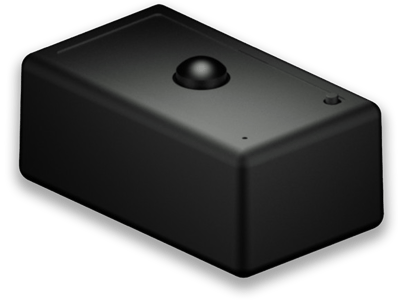
A Glimpse engineer fits a processing device sized to your camera count and connects it to the streams, directly or through your NVR. The same device as Footfall if you have it.

03 — Zones

Draw lines and zones with you

Client Success draws the counting lines, dwell zones and queue zones on the camera views with your team, and sets the queue thresholds and who gets alerted.

04 — Live

Change the store, change the zones

View flow counts, dwell time and heatmaps in the Portal. When a layout changes, we redraw the zones remotely. No visit, no new install.

Video is analysed on the device in your comms room and never stored or sent anywhere. No facial recognition, no personal data. UK GDPR compliant; ISO 27001 and Cyber Essentials certified. Journey counts people within zones; it does not identify or follow individuals.

Already counting footfall with someone else?

Journey doesn't need Glimpse Footfall. It runs on its own, alongside whatever counts your doors today, and uses your existing in-store CCTV.

What's included

Everything between the door and the till


Platform

The Glimpse Portal

Flow, dwell and heatmaps by store and zone, with history for period comparisons.

  • Dwell entries and time in zone, 15-minute detail
  • Internal footfall per department and concession
  • Scheduled CSV reports
Alerts & data

Alerts and the API

Queue alerts to the people who can act, and the data to your own tools.

  • Queue alerts by SMS, webhook or custom integration
  • REST/JSON API
  • Scheduled exports
People

Client Success

The team that draws your zones, keeps them current and reviews the results with you.

  • Zones redrawn remotely as the store changes
  • Quarterly reviews of layout and dwell
  • Before-and-after reads on every test
Works with

One platform, four solutions

Footfall counts the visitors, Journey and Engagement explain what they do.


Common questions

Journey, answered


Do we need Glimpse Footfall to use Journey?

No. Journey is independent. You can run it alongside an existing footfall system; it uses the in-store CCTV cameras, not the door counters.

Will we need new cameras?

Usually not. Most stores' CCTV already covers the sales floor, and we can use any camera with an RTSP stream, including fisheye. The survey shows you exactly which areas are covered and where a view is missing, and you decide whether to add a camera there.

Can we change the zones after a layout change?

Yes. Client Success can redraw counting lines, dwell zones and queue zones remotely, without a site visit. There's no fixed limit on the number of zones.

Does it track individual shoppers?

No. Journey counts people crossing a line or present in a zone, and how long a zone was occupied. It doesn't identify anyone and no video is stored. There's no facial recognition.

How do queue alerts reach the floor?

By SMS, by webhook into the tools you already use, or by a custom integration. You set the threshold per queue zone and who gets told.

What does 'dwell' count?

Entries into a zone and the average time spent in it, with short pass-throughs filtered out so you only count the people who stopped. Dwell is the measure of whether a fixture, bay or display is actually holding people.

See what your sales floor is really doing.

Book a demo and we'll show you flow, dwell and heatmaps on live retail data, then talk through which areas of your stores to measure first.

The form didn't load. Book a discovery session on our contact page.

No obligation. No hard sell. We'll come back to you within one working day.

Prefer email? sales-emea@glimpseanalytics.com